Comparisons
Best Photo Vault Apps for iPhone (2026): An Honest Comparison
Mehmet Ali Kısacık · Developer of Secure Folder · July 8, 2026 · 6 min read
Key takeaways
- Photo vault apps mainly differ on one axis, whether photos are stored only on the device or synced to the developer's cloud, plus three optional features: decoy vaults, intruder alerts, and disguised icons.
- Apple's Hidden album is free and built into every iPhone, but it syncs through iCloud, opens with the same Face ID as the rest of the phone, and has no decoy vault or attempt log.
- Keepsafe and Private Photo Vault both offer optional cloud backup of hidden photos tied to an account, which means recovery if you lose the device, but also means your photos exist on someone else's servers.
- Calculator-style vault apps genuinely function as a working calculator until a secret code is entered, arguably the strongest pure camouflage in the category, though quality varies widely across the many near-identical apps.
- Secure Folder stores everything only on the iPhone with no account, no cloud, and no server, and offers nine disguise icons, a decoy vault, and intruder alerts as its situational extras.
- Secure Folder's free tier includes the core vault, decoy vault, and stealth icons, while unlimited imports, intruder alerts, and widgets require the Incogni Pro subscription or one-time lifetime purchase.
The right photo vault app depends on what you need: Apple's Hidden album for casual privacy with zero effort, Keepsafe or Private Photo Vault with backup enabled if you want hidden photos backed up to the cloud, Private Photo Vault for the biggest track record with every feature offered as an option, a well-reviewed calculator vault if maximum camouflage matters most, and Secure Folder if you want photos that never leave your phone plus a decoy vault and an intruder log. We make Secure Folder, so read that last recommendation with this in mind: a comparison that pretends the alternatives are bad would be useless to you and embarrassing for us. Photo vaults mainly differ on one axis, where your photos are stored, plus three features: decoy vaults, intruder alerts, and disguised icons. Here's how each option breaks down on those criteria.
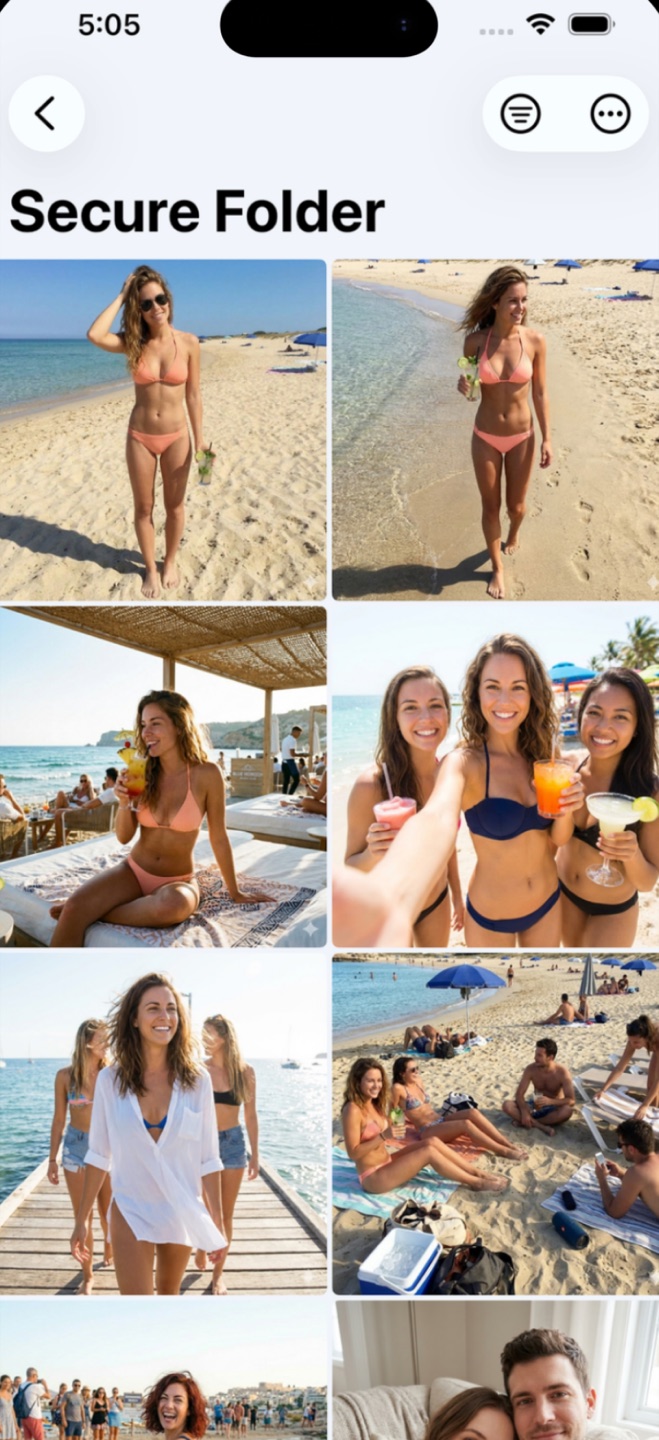
Storage model: The storage model is where a photo vault keeps your photos: only on your iPhone, or synced to the developer's cloud. An on-device vault has no server holding your files, so there's no account to compromise and no company database for your photos to leak from. A cloud-backed vault trades that isolation for recovery: lose the phone and the photos come back, because a copy already existed somewhere else. Neither is objectively better. It's the single axis that separates every app in this comparison, and the right side of it depends on whether you want zero exposure or a safety net for a lost device.
The criteria that separate vault apps
Five things actually differ between these apps. Everything else is interface taste.
- Storage model — on-device only, or synced to the developer's cloud. Cloud sync survives a lost phone; on-device means there is no server to breach and no account to subpoena.
- Decoy vault — a second PIN showing fake content for forced-unlock situations.
- Intruder alerts — silent photos of wrong-PIN attempts.
- Disguise — whether the app hides itself (icon swap, or posing as a working calculator).
- Account & price — whether you must create an account, and what the subscription actually gates.
Apple's Hidden album — the free baseline
Built into every iPhone, free, and fine for hiding photos from casual scrolling. It locks with Face ID since iOS 16. But it's a documented feature in a fixed location, it syncs through iCloud, it opens with the same Face ID as everything else, and it has no decoy or attempt log. If your snoop is 'whoever borrows my phone,' start here. If your snoop has a name, keep reading — the full breakdown is in our Hidden album guide.
Keepsafe — the cloud-backup veteran
One of the oldest and most downloaded vaults, built around an account with cloud backup: your photos can survive a lost or broken phone, and a premium subscription unlocks the full feature set. That's the trade in both directions — recovery if you lose the device, and your photos existing on someone else's servers, protected by an account. If cloud backup of hidden photos is a feature for you rather than a bug, it's the established choice.
Private Photo Vault — the established all-rounder
A long-standing App Store staple with a large review base, break-in alerts, decoy album support, and optional cloud backup. It's the closest feature-for-feature comparison to ours, with the storage question left to you as an option rather than a stance. A reasonable default if you want a big track record and don't mind the app steering you toward its premium tier.
Calculator vaults — the working-decoy trick
A whole category of apps (Calculator+, Calculator# and others) poses as a functioning calculator: the app genuinely calculates until you type a secret code. It's a clever disguise — arguably the best pure camouflage there is — and worth knowing that Secure Folder's stealth icons don't replicate it: our disguised icon still opens to a lock screen. The category's usual weak spots are the other direction: everyone has heard of calculator vaults by now, and quality varies wildly across the dozens of near-identical apps, so vet the specific one's privacy policy carefully.
Secure Folder — ours, and who it's for
Secure Folder takes a position on the storage axis instead of offering both: everything stays on your iPhone. No account, no cloud, no server — the privacy policy is short because there's little to disclose. On top of that sit the three situational features: nine disguise icons, a decoy vault with its own fake PIN, and silent intruder alerts with timestamped photos. The honest trade-offs: no cloud backup means you keep your own backups of anything irreplaceable, and intruder alerts, unlimited imports, and widgets require the Pro upgrade (subscription or one-time lifetime purchase). The free tier includes the vault, decoy, and stealth icons.
The reasoning behind each pick
The short version is above. Here's the thinking behind each recommendation, matched to the sections above.
- Apple's Hidden album costs nothing and needs no setup, which covers you completely if the only threat is casual scrolling through your camera roll. It syncs through iCloud and opens with the same Face ID as everything else on your phone, so it stops there if the person you're avoiding is more deliberate than that.
- Keepsafe and Private Photo Vault with backup enabled both keep a copy of your hidden photos on the developer's servers. A lost or broken phone doesn't cost you the photos, at the price of those photos existing on someone else's infrastructure behind an account.
- Private Photo Vault without cloud backup turned on is the closest feature-for-feature match to Secure Folder, down to the decoy vault and intruder alerts, with the storage question left to you as an option instead of built into the app's design.
- A calculator vault is worth the extra vetting time if disguise matters most: it's a real, working calculator until a secret code is entered, which is a harder tell than a swapped icon. Quality varies a lot across the many near-identical apps, so check the specific one's privacy policy first.
- Secure Folder fits if the priority is that nothing about your vault ever touches a server. In exchange, there's no cloud backup, so you keep your own copies of anything you can't afford to lose.
Common questions
Are photo vault apps actually private?
It depends entirely on the storage model. A vault that uploads to the developer's cloud is as private as that developer's security and policies. A vault that stores photos only on your device removes the server from the equation — the trade-off is that you're responsible for your own backups.
What's the best free way to hide photos on iPhone?
Apple's built-in Hidden album — select photos, tap Hide, and turn off 'Show Hidden Album' in settings. It's enough against casual scrolling, but it syncs to iCloud and opens with your regular Face ID, so it doesn't protect against someone who deliberately searches your phone.
Do vault apps drain battery or storage?
Vaulted photos take the same storage as they did in your library — they're moved, not duplicated, once you delete originals. There's no background sync in an on-device vault, so there's nothing to drain battery.
Keep your photos yours.
Secure Folder is free on the App Store — everything stays on your iPhone.